The petrol bill format in India is the small transaction receipt issued by a fuel station after refuelling. It normally captures the outlet name, city, fuel type, quantity in litres, rate per litre, total amount, and the date and time of purchase. For employees, self-employed professionals, and fleet operators, this receipt is the basic proof used for fuel accounting.
What a standard petrol receipt includes
A typical petrol pump receipt is short, but every line matters. Employers and accountants usually look for a complete record of the station, the fuel purchase, and the amount paid. Missing details make a receipt harder to use for reimbursement or internal tracking.
- Petrol pump or outlet name
- City or branch location
- Fuel type listed as petrol or MS
- Quantity filled in litres
- Price per litre
- Total payable amount
- Date and time stamp
- Transaction or pump reference number
How to read the petrol bill amount
The total on the receipt is calculated by multiplying litres dispensed by the active petrol rate. If a vehicle takes 18 litres at ₹104 per litre, the bill amount becomes ₹1,872. This simple format is why petrol bills are widely accepted for travel reimbursement and monthly expense reporting.
When this format is used
Petrol bill formats are common for local travel claims, sales visits, field service work, cab reimbursements, and company-owned cars. Some organisations also attach the petrol receipt to an expense sheet that mentions the trip purpose, employee name, and vehicle number.
Common mistakes to avoid
- Using a receipt without a visible date or time
- Submitting a blurred photo where the amount cannot be read
- Mixing petrol receipts with diesel or CNG claims in one report
- Ignoring the employer's reimbursement cap or approval policy
Create a sample petrol bill online in the same format most reimbursement teams expect.
Open Fuel Bill Generator →Why sample formats help
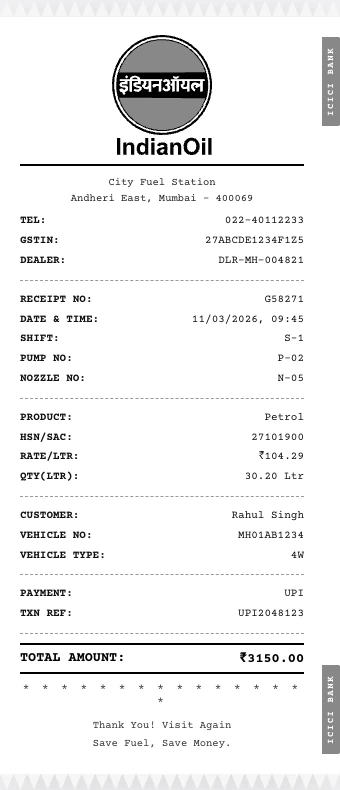
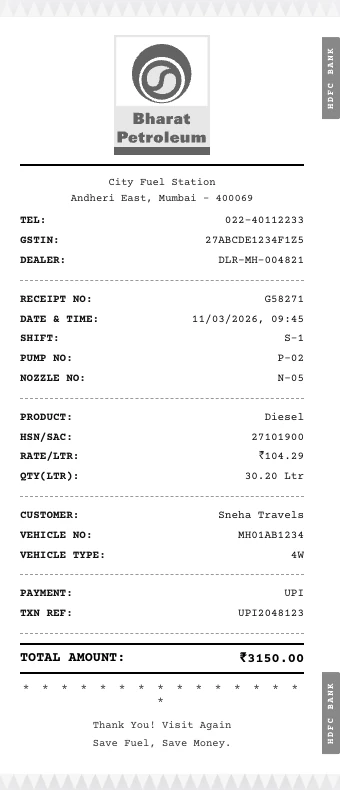
A sample petrol bill format helps you verify what information should appear before you prepare a PDF, print a receipt for documentation, or organise multiple bills for month-end submission. It is also useful when comparing formats from IOCL, BPCL, HPCL, and private pumps.
Frequently Asked Questions
What is the usual unit shown on a petrol bill?
Petrol bills in India normally show fuel quantity in litres along with the rate per litre and the total amount paid.
Can a petrol bill be used for office reimbursement?
Yes. Many employers accept petrol receipts as supporting proof for local travel or vehicle fuel reimbursement, provided the receipt is clear and dated.
Does every petrol pump use the same format?
No. Layouts vary by machine and outlet, but the key fields such as pump name, litres, rate, total, and date are usually the same.